
Time Tracking for Accounting Firms
The average CPA firm captures only 70-75% of billable time. Here's how to close that gap — especially during tax season.
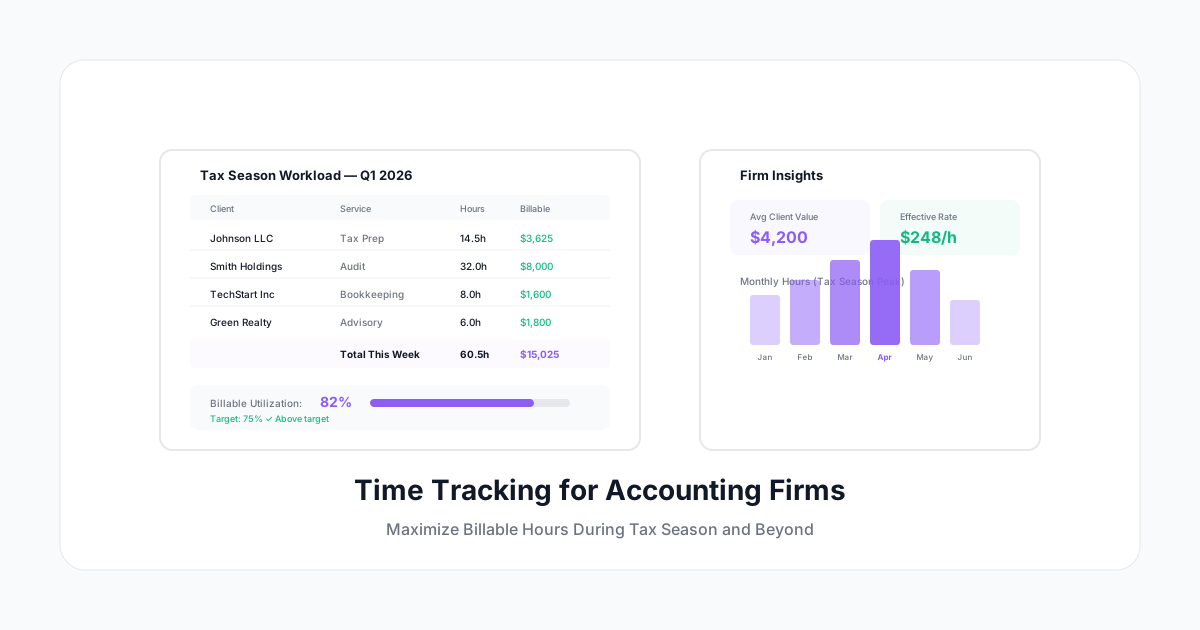
Accounting firms have a unique relationship with time tracking: they bill by the hour, they understand the value of accurate records, and yet — according to industry surveys — the average CPA firm captures only 70-75% of billable time.
That's a quarter of your revenue walking out the door. In a firm billing $200/hour, that's $50 per hour per professional that was worked but never collected.
Tax season makes it worse. When you're working 60-70 hour weeks serving dozens of clients simultaneously, tracking every 6-minute increment feels like the lowest priority. But it's actually the highest-value activity you can do — because every untracked hour is unrecoverable revenue.
Here's how to build a time tracking system that works for accounting firms specifically.
Why Accounting Firms Leak Billable Hours
The "It Only Took a Minute" Problem
CPAs constantly do small tasks that feel too trivial to bill:
- Quick phone call to answer a client question (8 minutes)
- Email response about a filing status (5 minutes)
- Looking up a regulation for a client's situation (12 minutes)
- Reviewing a document that was "just one page" (15 minutes)
Each one is small. But 8-10 of these per day = 1-2 billable hours lost. Over a year for a 15-person firm, that's $300,000-$600,000 in unbilled work.
The Tax Season Blur
During busy season (January-April, September-October), accountants work so intensely that individual client work blurs together. "I worked 12 hours today" becomes a single entry rather than 12 properly allocated hours across 6-8 different clients.
Result: Either all hours go to the last client touched, or significant time goes unallocated and unbilled.
The "I'll Log It Later" Trap
After-the-fact time entry is catastrophically inaccurate for accountants because:
- You serve multiple clients per day (hard to reconstruct)
- Similar work for different clients blends in memory
- Research for one client often sparks research applicable to another
- Phone calls and emails are easily forgotten
Studies show that logging time at the end of the week (vs real-time) costs firms 10-15% of billable capture.
The Six-Minute Rule
Most accounting firms bill in six-minute increments (0.1 hour). This means:
- 1-6 minutes of work = 0.1 hours billed
- 7-12 minutes = 0.2 hours billed
- 13-18 minutes = 0.3 hours billed
Critical implication: Every task over 1 minute potentially generates billable time. But most accountants only log tasks that feel "significant" — 15+ minutes. Everything under that threshold is lost revenue.
Making Six-Minute Tracking Practical
Nobody can track to 6-minute precision all day without friction. The solution:
- Running timer: Start when you switch to a client task. Stop when you switch away.
- Minimum billing threshold: Even 2 minutes gets logged (it'll round up to 0.1)
- Natural language entry: "5 min call with Henderson re: K-1 questions" → auto-parsed to client + activity + time
- Email integration: Flag billable emails and auto-log the time spent
The key: make logging faster than NOT logging. If entering a time entry takes more effort than the work itself, nobody will do it.
Firm-Specific Time Tracking Setup
Activity Codes for Accounting Firms
Set up codes that match your billing categories:
Tax Services:
- Tax preparation (1040, 1120, 1065, 1041, etc.)
- Tax planning and advisory
- Tax research
- Amended returns
- Extension preparation
- IRS correspondence
Audit Services:
- Planning and fieldwork
- Testing and documentation
- Review and supervision
- Report preparation
- Client inquiries
Advisory/Consulting:
- Financial analysis
- Business advisory
- Succession planning
- M&A due diligence
- Forensic accounting
Administrative (non-billable):
- Firm management
- Business development
- Professional development (CPE)
- Internal meetings
- Recruiting/training
Client Billing Structures
Accounting firms typically use multiple billing models:
| Model | Time Tracking Need |
|---|---|
| Hourly billing | Track every minute — it's your revenue |
| Fixed fee (per return/engagement) | Track for profitability analysis and future pricing |
| Value billing | Track to validate the value pricing is working |
| Retainer | Track to ensure retainer covers actual work |
| Write-down targets | Track original time, then apply write-down — understand the gap |
Even fixed-fee work needs time tracking. If you quote $3,000 for a corporate return and it takes 20 hours ($60,000 in labor), your effective rate is $150/hour. If it takes 35 hours, your effective rate drops to $86/hour. You can't fix pricing without this data.
Tax Season Survival Strategy
Before Busy Season (October-December)
- Review last year's time data: Which clients took more time than billed?
- Adjust pricing for underperforming engagements
- Set up client/engagement codes for the new tax year
- Ensure every team member has mobile access to the timer
- Pre-configure recurring activities (weekly planning, CPE)
During Busy Season (January-April)
- Morning routine: Start timer when opening first client file
- Switch discipline: When switching clients, stop/start the timer (30 seconds)
- End of day review: Spend 5 minutes confirming entries, adding any missed items
- Weekly billable target: Track against it (1,850-2,200 hours/year = 35-42 hours/week billable)
- Partner review: Weekly summary of team utilization and WIP
After Busy Season (May-June)
- Analyze: Which clients were profitable? Which weren't?
- Calculate effective rates per client (total fees ÷ total hours)
- Identify services that took longer than expected
- Adjust next year's pricing and scope letters
- Evaluate workflow improvements based on time data
Key Metrics for Accounting Firms
Realization Rate
Formula: Fees billed ÷ Time value at standard rates × 100
Example: Standard rate $300/hour. Worked 100 hours on a client. Time value: $30,000. Actually billed: $25,000. Realization rate: 83%.
Target: 85-95%. Below 80% consistently means pricing or scope problems.
Utilization Rate
Formula: Billable hours ÷ Available hours × 100
Example: 2,000 available hours/year, 1,500 billable. Utilization: 75%.
Targets by role:
- Staff: 70-80%
- Seniors: 65-75%
- Managers: 55-65%
- Partners: 40-55% (more non-billable responsibilities)
Collection Rate
Formula: Cash collected ÷ Fees billed × 100
Time tracking helps here because detailed invoices (showing exactly what was done) get paid faster and disputed less.
Revenue Per Professional
Formula: Total firm revenue ÷ Number of fee-earners
Track over time. If revenue per professional is declining while hours stay constant, your effective rate is dropping.
Technology Integration
Practice Management Integration
Your time tracking should connect to your PM system (Karbon, Canopy, Jetpack Workflow, etc.) so:
- Client work creates time entries automatically
- Engagements flow into time tracking as billable categories
- WIP reports update in real time
- Invoices pull directly from approved time
Tax Software Integration
Some time tracking can integrate with tax prep software to:
- Track time per return type
- Associate preparation time with specific forms
- Benchmark: how long does a typical 1120 take?
- Identify efficiency gains from software improvements
Email/Calendar Integration
- Client emails automatically prompt for time logging
- Calendar meetings with client names auto-suggest entries
- Out-of-office blocks exclude from billable targets
Getting Your Team to Track Consistently
For Staff and Seniors
- Frame it as revenue protection, not surveillance
- Show them the math: "Every 6-minute entry you log generates $30-50 in firm revenue"
- Make it competitive: "Top billers track in real time, not end of week"
- Reduce friction: mobile app, voice entry, one-click timers
For Partners
- Lead by example (partners who track, get tracked by their staff)
- Focus on the data value: "This tells us which clients are profitable"
- Show the realization gap: hours worked vs hours billed
- Connect to comp: utilization metrics often drive partner compensation
For the Whole Firm
- Weekly utilization dashboards (visible, not punitive)
- Monthly firm-wide billable targets with celebration when hit
- Quarterly review of time data → client pricing adjustments
- Annual benchmarking against industry standards
The Bottom Line
Accounting firms already understand the value of time — it's their primary unit of sale. But many firms leave 20-30% of that value on the table through incomplete tracking.
The fix isn't "work harder at timesheets." It's "make timesheets effortless." Real-time timers, mobile entry, smart suggestions, and one-click logging turn time capture from a chore into a 30-second habit.
A Human Time works for accounting firms because it's fast enough for six-minute billing: running timers that capture every minute, natural language entry for quick tasks, client-level reporting for realization analysis, and invoicing-ready exports. Your billable hours are your inventory — track every one.
The firms that track the best, bill the most. It's that simple.