
Nudge a Stalled Timesheet Approval in One Click
Waiting on an approver? Remind approver emails the people a timesheet is waiting on, with a direct link. One nudge per timesheet every four hours.
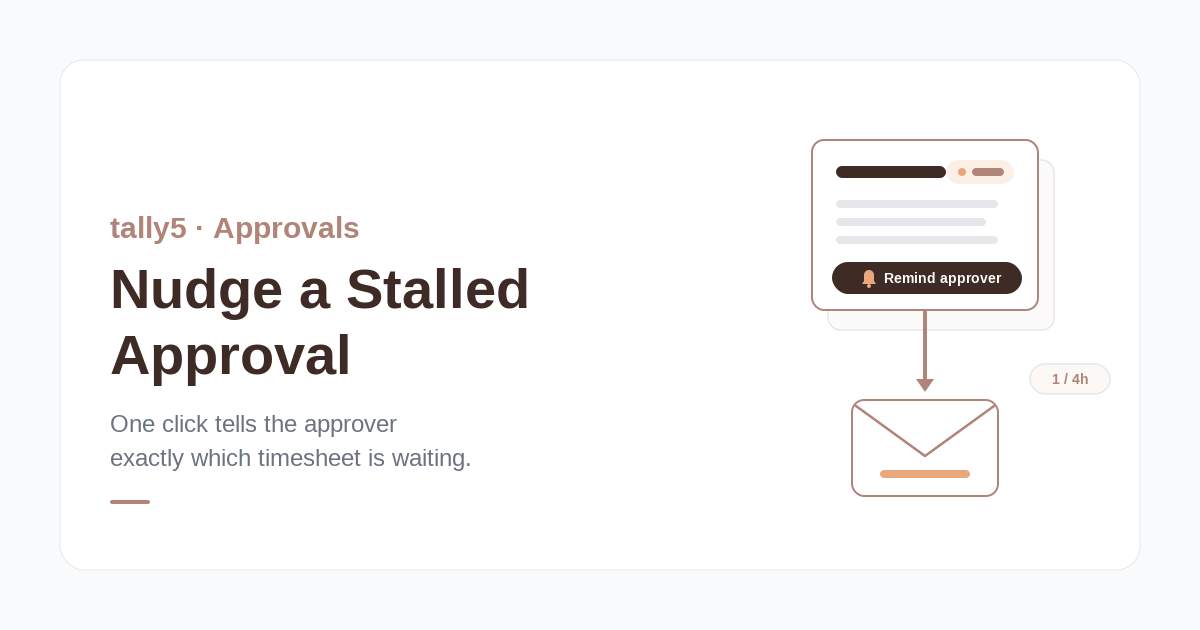
A timesheet sits in "pending" for three days, payroll is Friday, and the only person who can move it forward is the one who hasn't opened their inbox. So you do what everyone does: open Slack, type "hey, when you get a sec," and hope. That chase is the part of approvals nobody budgets for. tally5 now has a one-click answer: a Remind approver button on timesheets that are waiting for review.
This post covers how stalled approvals happen, what the button does (and what it deliberately doesn't), and how it fits with the scheduled reminders tally5 already runs.
Why Approvals Stall
Approvals rarely stall because someone refuses to approve. They stall because the request is invisible. The approver is in meetings, the email notice from Monday is buried, and nothing about a pending timesheet announces itself on a Thursday afternoon.
The cost lands on the person who needs the approval, not the person who owes it. A contractor waits to be paid. A manager waits to close the week. And the person waiting ends up doing the awkward part: chasing a colleague, out-of-band, with no context attached. If you want the broader picture of how to design an approval flow that doesn't depend on chasing, our timesheet approval process guide walks through it.
One Click, One Timesheet
Open any timesheet that's pending approval and you'll see Remind approver next to the other actions. Click it, and the approver gets an email that does three things:
- Names who's waiting. The subject reads "Jane Contractor is waiting on your approval," and the body says who asked, so the request has a human attached instead of a generic system notice.
- Shows exactly what's pending. The email lists that one timesheet and the week it covers. It's not a digest of everything in their queue.
- Links straight to it. The button opens that timesheet, ready to approve or reject. No hunting through a list.
It goes to the people the timesheet is actually waiting on. If your organization uses a multi-level approval chain, that's the approvers at the current level who haven't yet decided. If you use a single approver, it's the approvers assigned to that contractor.
Who Can Send It, and How Often
Two groups can nudge: the person who submitted the timesheet, and your organization's admins. Approvers don't see the button on timesheets they're already able to act on, because they can simply approve it.
To keep a reminder from turning into pressure, each timesheet allows one nudge every four hours. After you send one, the button switches to a Reminded state and shows when it'll be available again. Every reminder is recorded in your audit trail, so there's a clear record of who nudged whom and when.
Pair It With Scheduled Reminders
The button is the in-the-moment tool. For the steady background rhythm, tally5 also has scheduled approver reminders: in Settings → Notifications, an admin can turn on reminders that email each approver a digest of their pending timesheets on the days and times they choose. They're off by default, so it's worth checking whether yours are on.
The two work together. Scheduled reminders catch the routine backlog without anyone lifting a finger. Remind approver handles the exception: the one timesheet that can't wait for Thursday's digest.
Less Chasing, Same Control
This is the same idea that runs through the rest of tally5: logging time should take five minutes, not five hours, and getting it approved shouldn't be a second job. The hours tally themselves; the nudge sends itself in one click. Nobody gets a scoreboard or a surveillance report, just a direct, polite note that a specific timesheet is waiting.
Spend less time chasing approvals and more time on the work. Try tally5 free → tally5.com
Keep reading: